The same Nextcloud drive works on Windows 11, but Windows 7 repeatedly asks for credentials and ends with “A device attached to the system is not functioning”? In this recorded case, adding the missing WinHTTP TLS 1.2 default and rebooting fixed the connection.
Tested by the author: Windows 7 Professional SP1, 64-bit, with KB3140245 already installed. The drive mapped successfully as Z:. This is a fix that worked in one case, not a universal WebDAV repair.
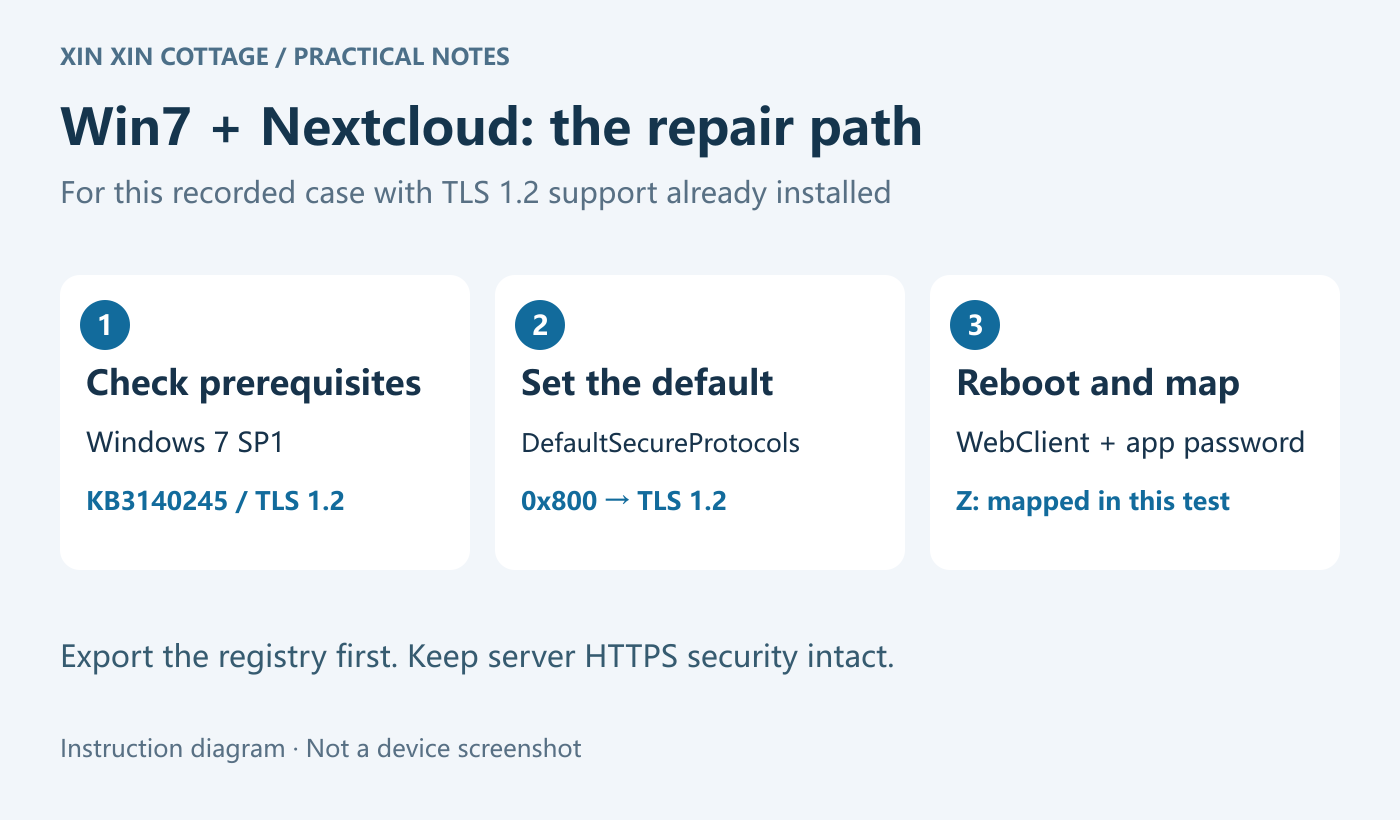
1. Check two prerequisites
- Windows 7 SP1 with KB3140245 or equivalent WinHTTP support. Run the check below in an administrator Command Prompt. No result alone does not prove that support is missing: a later update may include the components. If needed, obtain the matching update only from the Microsoft Update Catalog.
- WebClient can run. Press
Win + R, enterservices.msc, find WebClient and start it if stopped. Manual startup is sufficient for a session; automatic startup is not a prerequisite.
wmic qfe get HotFixID | findstr 3140245The clock must be correct, the HTTPS certificate trusted and TLS 1.2 not disabled at system level. Ticking TLS 1.2 in Internet Options is not the same as configuring WinHTTP defaults.
2. Back up, then import the matching file
Download the TLS 1.2 kit (ZIP: x86/x64 files and three-language instructions). Press Win + Pause to check System type. Extract the ZIP and choose only one file:
- 64-bit Windows:
Win7-WebDAV-TLS12-x64.reg - 32-bit Windows:
Win7-WebDAV-TLS12-x86.reg
Back up first: open regedit with Win + R. Export the affected WinHttp key(s) shown below, and record the original DefaultSecureProtocols value—or that it did not exist. Then double-click the matching .reg file and approve the administrator prompt.
The complete x64 file is below. On 32-bit Windows, use only the first WinHttp section, without Wow6432Node. You can inspect the download before importing it:
Windows Registry Editor Version 5.00

[HKEY_LOCAL_MACHINE\SOFTWARE\Microsoft\Windows\CurrentVersion\Internet Settings\WinHttp]
"DefaultSecureProtocols"=dword:00000800

[HKEY_LOCAL_MACHINE\SOFTWARE\Wow6432Node\Microsoft\Windows\CurrentVersion\Internet Settings\WinHttp]
"DefaultSecureProtocols"=dword:00000800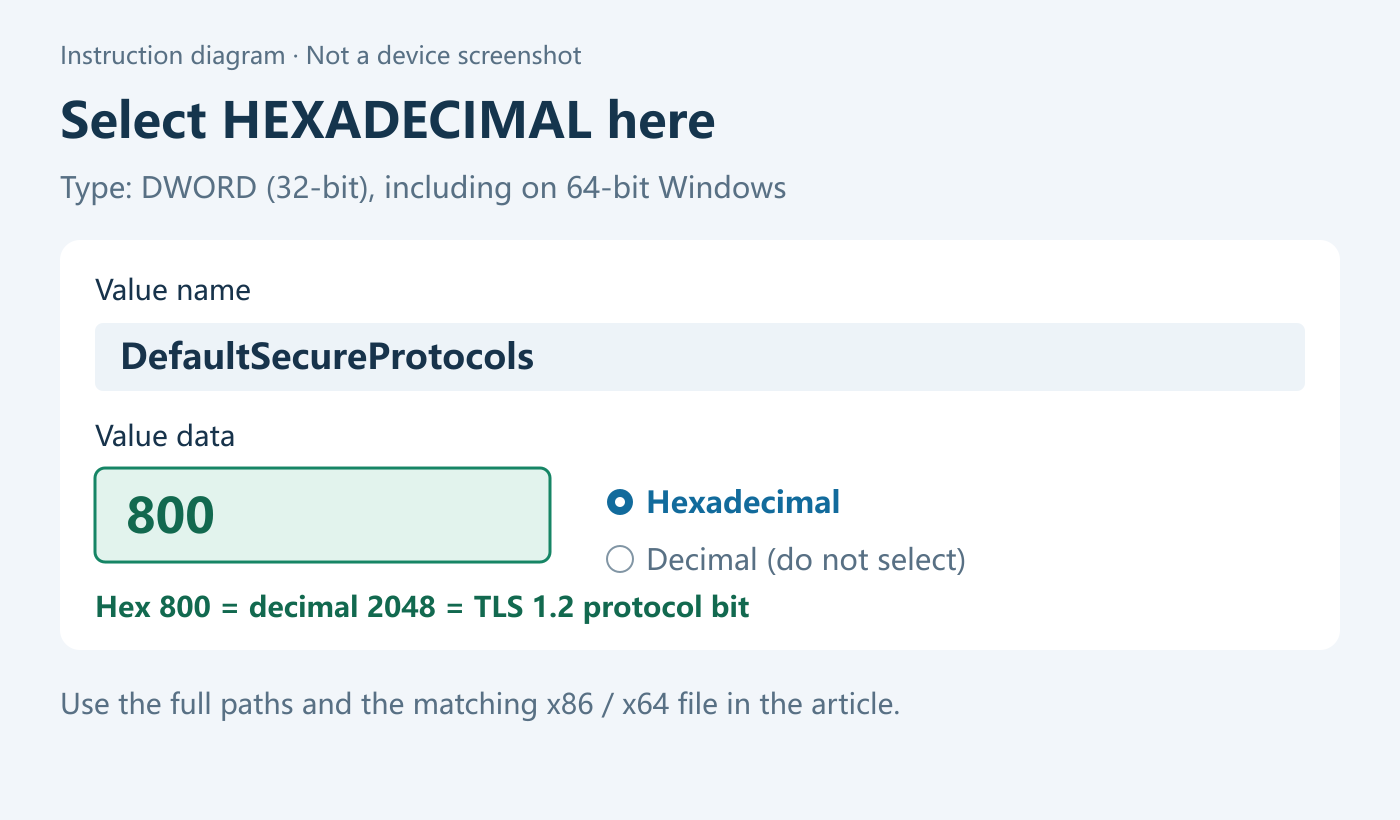
This sets the WinHTTP default protocol selection to TLS 1.2. It does not install updates or override application-specific or SCHANNEL restrictions. The actual successful test added the native WinHttp value and rebooted; the Wow6432Node entry is Microsoft’s complete x64 recommendation, not a separately proven requirement from that test.
3. Reboot and map Nextcloud
- Save your work and restart Windows 7. After reboot, make sure WebClient is running.
- Create a dedicated app password in Nextcloud’s personal Security settings. Copy the actual WebDAV URL from the settings in Files.
- In Windows, open Computer → Map network drive, choose Z: and paste that HTTPS URL. Sign in with the actual user ID and app password, not a display nickname or the label you gave the app password.
https://cloud.example.com/nextcloud/remote.php/dav/files/USER_ID/This is only a format example. Root installations omit /nextcloud; keep any nonstandard HTTPS port. Copy your server’s URL rather than guessing it.
Result, troubleshooting and rollback
The same URL and app password worked after reboot, and Z: appeared. The recorded test verified the connection, not large-file transfers. Start with a small file to check your access permissions.
Still failing? Check the URL, account permissions, certificate trust, WebClient and system TLS 1.2 support. They can fail independently. Do not set BasicAuthLevel to 2, disable certificate checks or weaken server TLS. If BasicAuthLevel is already 1 for HTTPS, leave it alone; it was not the cause in this case.
Rollback: restore the previous value if it existed. If it did not, delete only the DefaultSecureProtocols value you added—not the entire WinHttp key. Importing an old export does not remove newly created values. Reboot and check again.
Windows 7 is unsupported; this does not make it secure again. Restrict network access when legacy software is unavoidable and migrate to a supported OS. Based on the author’s device notes supplied on 2026-10-18. No TLS packet capture was taken, so the successful workaround is not proof of every connection failure’s cause.
Official references: Microsoft KB3140245 · WinHTTP and x64 paths · Nextcloud WebDAV